
To make duplicate copies from your original post to another class.
Step 1: Go to you're original post in the social tab.
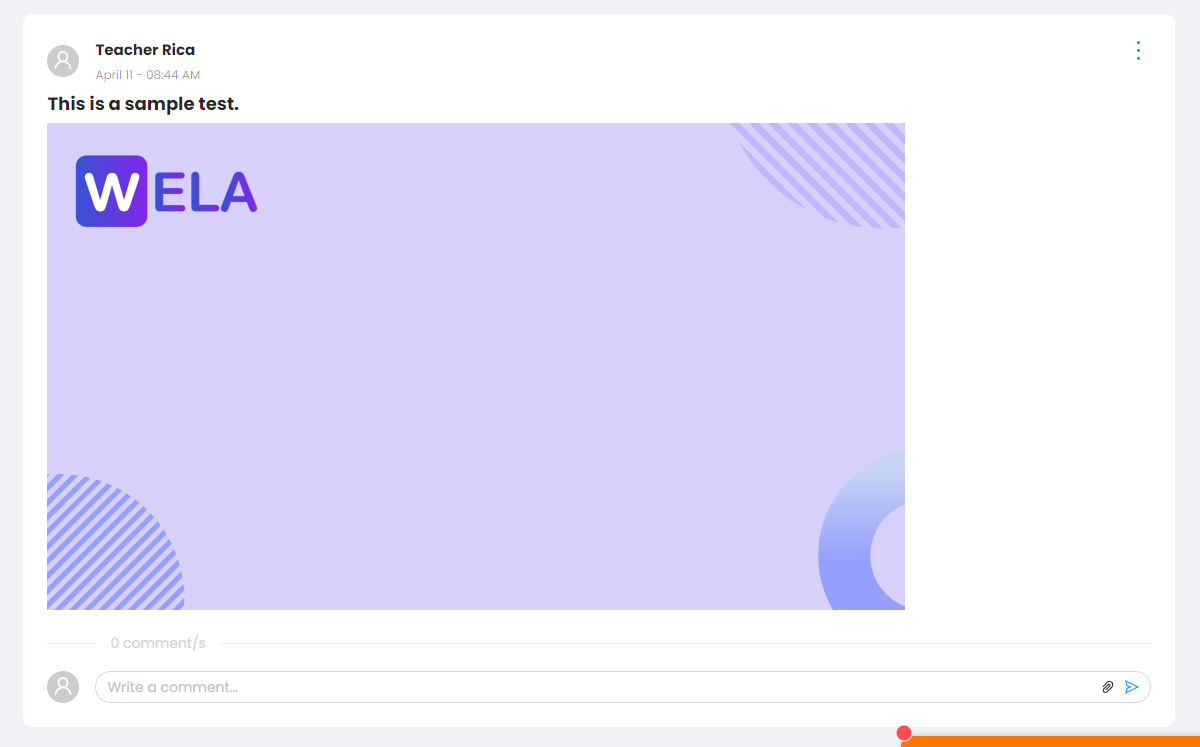
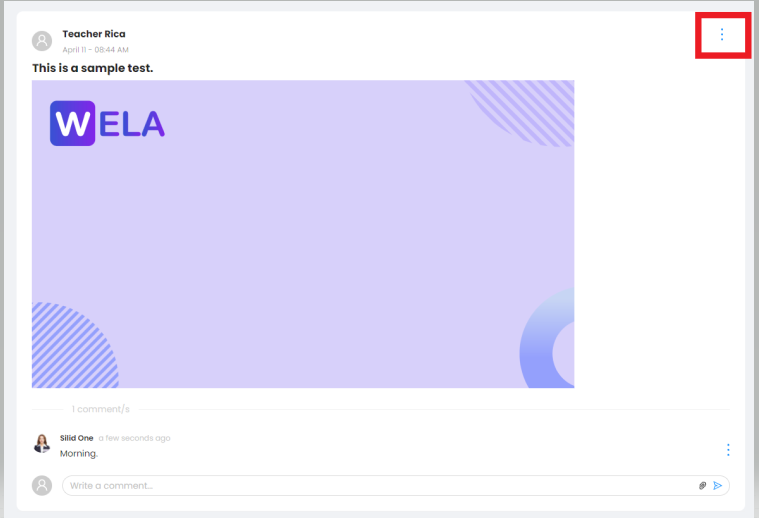
Step 2: Click on the gear button in the right corner of your post.
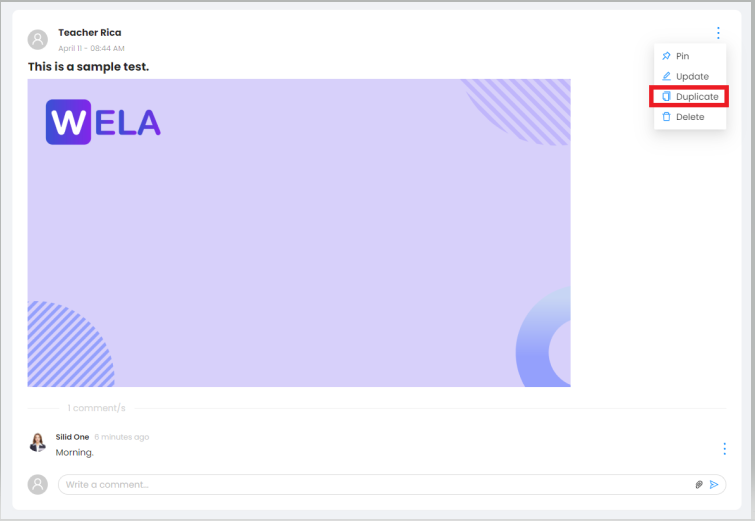
Step 3: Click on duplicate from the options.
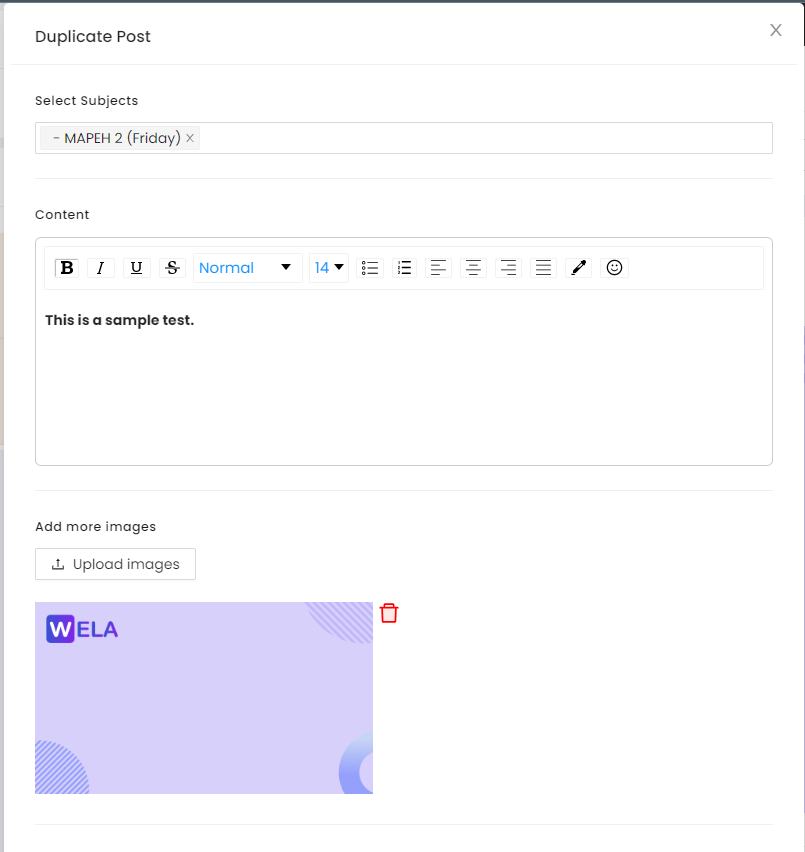
Step 4: Select a particular post you want to provide a duplicate post.
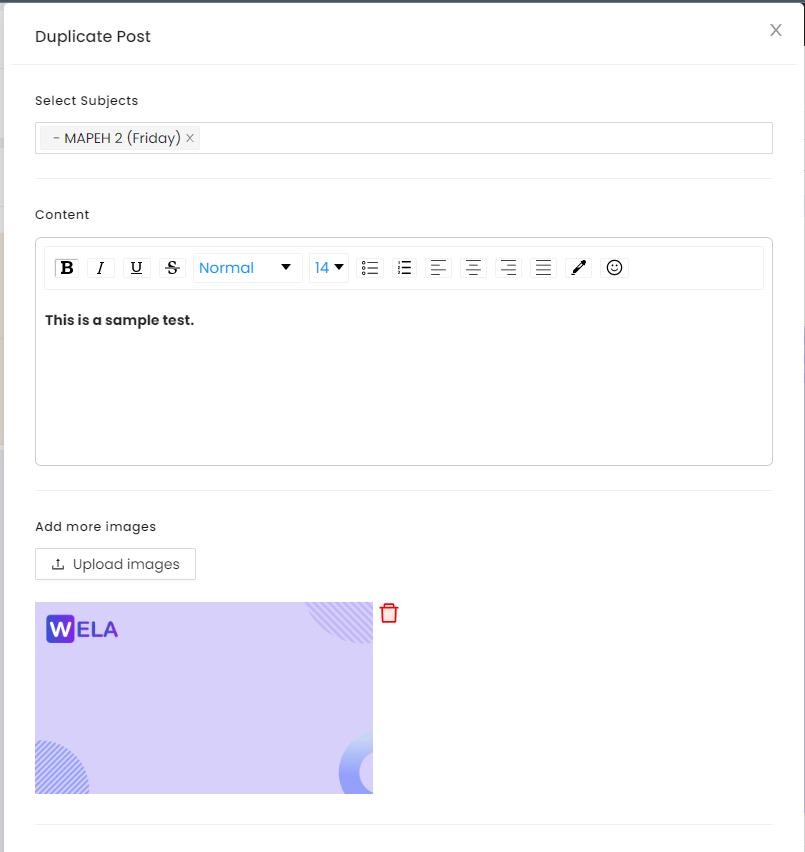
Step 5: Double-check your duplicate post then click on the Update Post button located in the right-bottom part of the duplicate post page.
Note: Once you're done, the student will immediately be able to see your duplicated post in your selected class.